
icon
Part Of The Contech OS Suite

All your construction apps finally integrated

Not just synced. Orchestrated. ConTech Insite connects your tools and automates the work that moves between them
ConTech Insite
icon
AI Driven Features

Everything connected. Made for construction

Ready-to-Go Integrations

Hundreds of construction-ready connectors for all the tools you already use
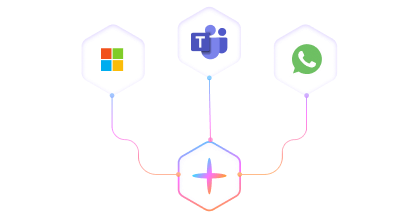
Ready-to-Go Integrations (Library of over 300+)

Data Normalisation


Every tool stores data differently. Insite cleans, standardizes, and aligns it all so everything speaks the same language — making your workflows, reporting, and AI actually work.


Data Normalisation

Cross-System Workflow
Automation


This is where construction actually gets its time back.
With Insite, workflows move across systems automatically

Cross-System Workflow Automation

Visual Builder


Connect your tools and design workflows in minutes — no developers, no waiting. See exactly how your data moves between systems, from field to finance.

Ready-to-Go Integrations (Library of over 300+)
ConTech InsiteConTech Insite
ConTech Insite

Works with what you already use.

ConTech InsiteConTech Insite
ConTech Insite
Works with what you already use.
icon
How it works

Ready-to-go integrations. Zero setup.

From Procore and Site App Pro to Sage, ADP, SharePoint, and Power BI; insite comes loaded with pre-built connectors built specifically for construction software.

Step 01

Pick the tools you already use.

Choose from construction-ready integrations. Built for real construction workflows, not generic APIs.
Pick the tools you already use.
Step 02

Build your workflows.

Behind the scenes, our built-in automation assistant (we call it BeamBot) configures your integrations. It uses pre-built workflows based on industry best practices and common use cases — or you can build your own from scratch using our visual builder.
Build your workflows.
Step 03

Your workflows run

Once connected, your systems sync automatically. Reports, forms, and timesheets update across tools in real time — clean, accurate, and fully traceable.
Build your workflows.
icon
Field Mapping Control

Choose How Your Integrations Map

Visual field-to-field control across every system

Choose How Your Integrations Map
Safety Software
Direction
PM Software
Timing
Trigger
Project Documents
One Way
Sites
Real-Time
On Create / Update
Directory | Users
One Way
Users (Subcontractors)
Real-Time
On Create / Assignment
Directory | Companies
One Way
Suppliers
Hourly
On Create / Update
Project Documents
One Way
Completed Forms
Real-Time
On Submission
Daily Logs | Manpower
One Way
Site Check-in/out Duration
Real-Time
On Check-in / Check-out
Daily Logs | Inspection
One Way
SAP Inspection Forms
Real-Time
On Completion / Sign-off
Real-Time Sync
Real-Time Sync
Scheduled Sync
Scheduled Sync
One-Way Direction
One-Way Direction
Two-Way Sync
Two-Way Sync
icon
FAQ

Frequently Asked Questions

Got questions? We’ve answered the most common ones to help you get started fast and feel confident about using Looma.

What’s a Bolt?
Will it work with how we already run our jobs?
Is my data secure?
Is there a free version?
Can this connect data with subcontractors and external partners?
Do we need developers to use Contech Insite?